
Wishlist4 Is Now a Wishlist App for Android and iOS
Published
This page may contain affiliate links. This means we may earn a commission if you purchase something through the links, at no additional cost to you.
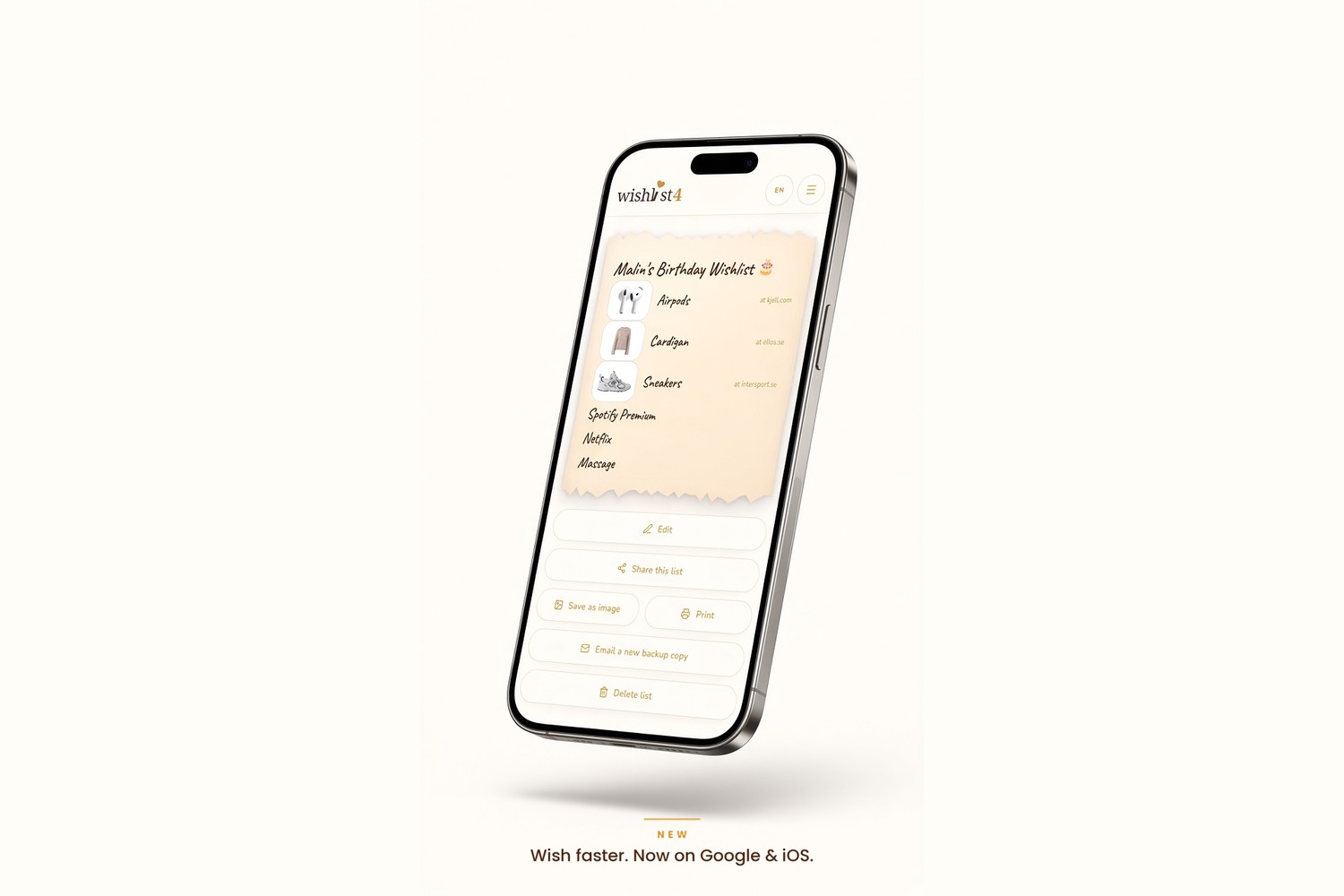
Big news: Wishlist4 is now available as a wishlist app. Android users can download it from Google Play, and iPhone users can add it to the home screen straight from Safari in a few seconds.
The app gives you the same simple wishlist you already know, just one tap away. And just like before, nobody you share your list with ever needs to install anything.
Keep your wishlists in your pocket
Wishlist4 is also an app. Open your lists with one tap, right from your home screen.
How to get the Wishlist4 app
- Android: search for Wishlist4 on Google Play and tap Install.
- iPhone and iPad: open wishlist4.com in Safari, tap Share, then Add to Home Screen.
- Desktop: keep using wishlist4.com in any browser, nothing changes.
Why use a wishlist app?
Gift ideas show up at random moments: in a store, while scrolling, or when a friend mentions something. With the app on your home screen you can jot down a wish or paste a product link before the idea slips away.
- Open your saved wishlists with one tap, no searching for bookmarks.
- Add wishes faster with automatic product names from pasted links.
- Full screen experience that feels like a native app.
- Share a list via any messaging app in seconds.
- Save your list as an image or print it on clean white paper.
Still no account, and no app needed for guests
The app is completely optional. You can still create and share wishlists in any browser. Friends and family who open your link can view the list and reserve a gift without an app, an account or a sign up. The surprise stays a surprise.
Perfect timing for birthdays and Christmas
With the holiday season around the corner, having your wishlist in your pocket makes life easier for everyone. Make one list per occasion, share the link with the family and let them reserve gifts so nobody buys the same thing twice.
Download Wishlist4 on Google Play or add it to your iPhone home screen today. Or just start your free wishlist right here in the browser.